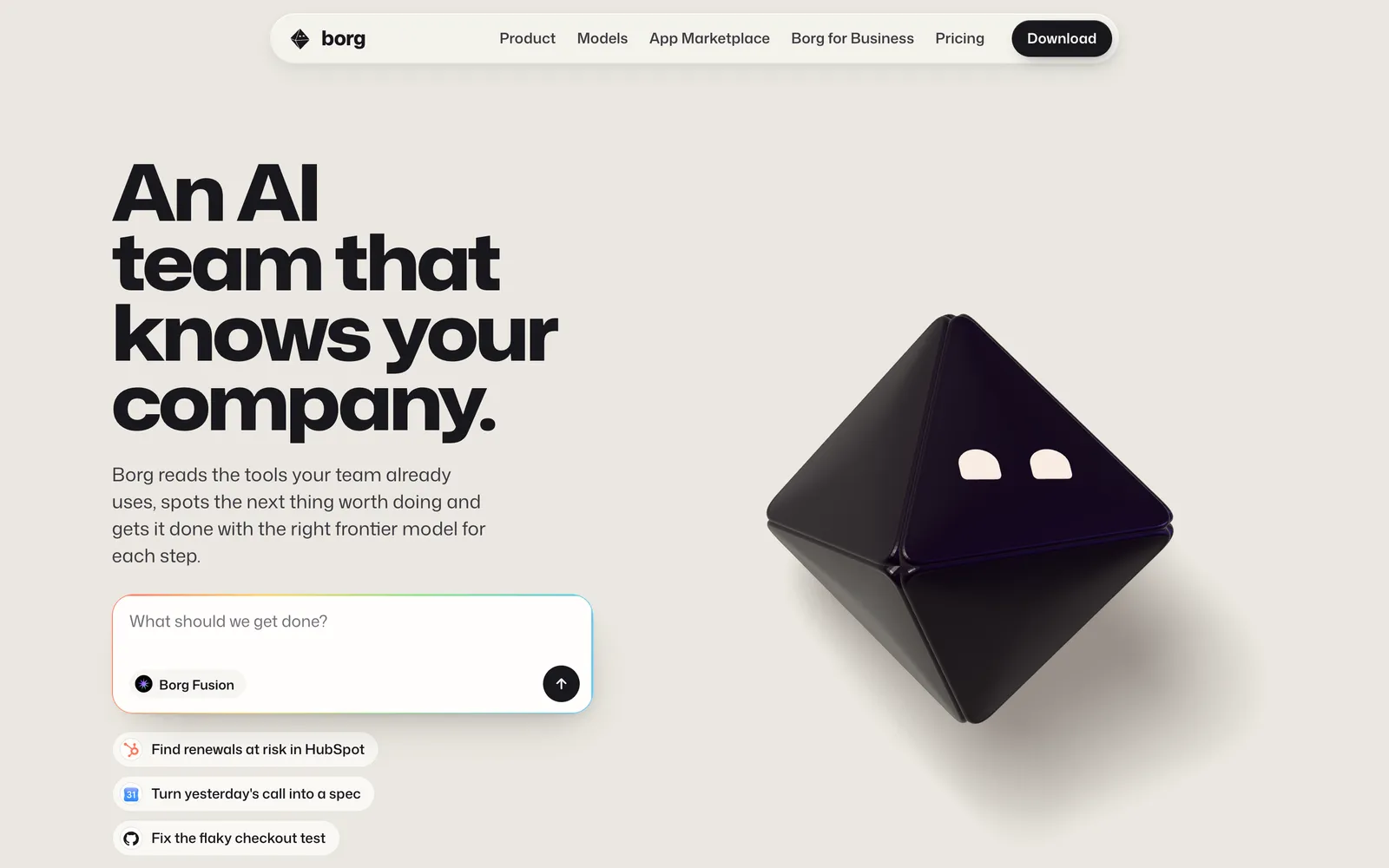
- ◆Borg (getborg.com) describes itself as "an AI team that knows your company." It combines shared company memory, missions and multi-model routing in one app.
- ◆Borg Fusion is the routing layer. Borg says it "picks the model and effort for each request" across Claude, GPT, Gemini, Grok, Kimi and GLM.
- ◆Missions are Borg's unit of work. Borg proposes them with evidence, a human says go, and missions "keep going until the evidence says they are done."
- ◆Pricing starts free. Paid plans are Personal ($20/mo), Power ($99), Max ($199) and Team ($500), plus Business ($5,000/mo with setup and training) and custom Enterprise.
- ◆Borg's App Marketplace lists 27 apps across 8 categories, named for the SaaS tools they're meant to replace, from Loom and HubSpot to Linear and DocuSign.
- ◆The bigger story is the shift from AI tools to AI teams. Judge any agentic platform on context, memory, orchestration, execution and governance.
Most businesses are using AI backwards. We open ChatGPT for one job, Claude for another, Gemini for a third, maybe Grok for a fourth. Then we copy context from one window to the next, and somewhere along the way the person doing the copying becomes the integration layer.
Borg (getborg.com) is a new platform built around that exact problem. Instead of asking you to choose a model and write a prompt, it tries to give your work to an AI team that already knows your company. I spent time going through everything Borg has published about the product. This piece separates what Borg says from what I think it means.
Disclosure: Bonsai Marketing Company has early access to Borg through the Agentic Mastermind class of 2026 and uses the web app at app.getborg.com. Everything below is drawn from Borg's public site as of October 2, 2026, and the screenshots are Borg's own pages. Where I'm giving my own read, I say so.
What is Borg AI?
Borg describes itself in one line: "An AI team that knows your company." The longer version, from its homepage: "Borg reads the tools your team already uses, spots the next thing worth doing and gets it done with the right frontier model for each step."
That sentence holds the whole product. There are three parts in it:
- It reads your tools. Borg builds shared memory from your team's work.
- It spots the next thing worth doing. Borg proposes work instead of waiting for a prompt.
- It uses the right model for each step. A routing layer called Borg Fusion picks the model.
Today Borg is a web app at app.getborg.com. Its site previews a Mac desktop app and a phone app for approving missions, with Windows, Linux, iPhone and Android listed as "coming soon," but as of early October 2026 the web app is the one you actually work in. There's also a gateway and a developer API.
My read: the important shift is from asking AI questions to assigning AI work. A chatbot follows this path: person, prompt, model, answer. Borg describes something closer to this: company context, AI team, mission, several models, tools, finished work.
What is Borg Fusion?
Borg Fusion is Borg's multi-model routing layer. In Borg's words: "Every frontier model. One subscription." The supported list on the site is Claude, GPT, Gemini, Grok, Kimi and GLM, "plus image, video and voice models, in one app on one bill."
Here's how Borg describes the routing: "Borg Fusion picks the model and effort for each request: fast, inexpensive models for everyday work, the frontier when it matters." You can still pick a model yourself. Borg's models page says you can "choose one yourself or let Borg Fusion pick," and it lists each maker's own per-token price.
My read: for the last few years the question has been "which model is best?" That's the wrong long-term question. Models are good at different things, and the rankings shift every few months. The more durable design is a system that decides which model handles which piece of work. Without that layer, the human is the router. With it, the orchestration layer is the router. You stop picking models and start assigning outcomes.
I'm not going to tell you which model is "best." Borg doesn't claim that either. The point of routing is that you no longer have to settle that question to get work done.
How does Borg's company memory work?
Borg's claim: "It learns what your team knows." More fully: "Borg learns from your team's threads, docs, pull requests, deals and tasks. It becomes memory the whole team shares, so every conversation starts where the last one ended."
Reminder: no deploys after 3pm on Fridays.
We will renew once SSO is in place.
Launch copy needs Maya's sign-off before it ships.
Since Aug 12 the pricing page leads with annual plans.
Flaky again. Payments sandbox timed out after 30s.
Acme is in security review, day 41.
- No deploys after 3pm on Fridays.
- The pricing page leads with annual plans.
- Checkout tests flake when the payments sandbox is slow.
- Enterprise deals stall at security review.
- Launch copy needs sign-off from Maya.
- Acme renews once SSO is in place.
Borg also says the memory grows with use: "Each finished mission leaves context behind: what worked, who approved it, which model did it best."
My read: model routing is useful, but context is the bigger problem for most businesses. Without shared memory, every new AI session is a new employee with amnesia. You re-explain the company, the customers, the strategy and the documents. Then you do it again tomorrow.
Individual assistants have gotten better at this. ChatGPT and Claude both offer memory and project features now. The difference in Borg's pitch is that the memory belongs to the team rather than one person's chat history, and it isn't tied to one model vendor. Borg hasn't published its full list of integrations, so check which of your systems it can actually read before you count on this.
What are Borg Missions?
Missions are Borg's unit of work. Borg describes the flow like this: "Messages, alerts and requests from your apps and your team flow through the gateway. Borg connects them to what it knows and proposes missions, each with its evidence. Say go, and a borg sees it through."
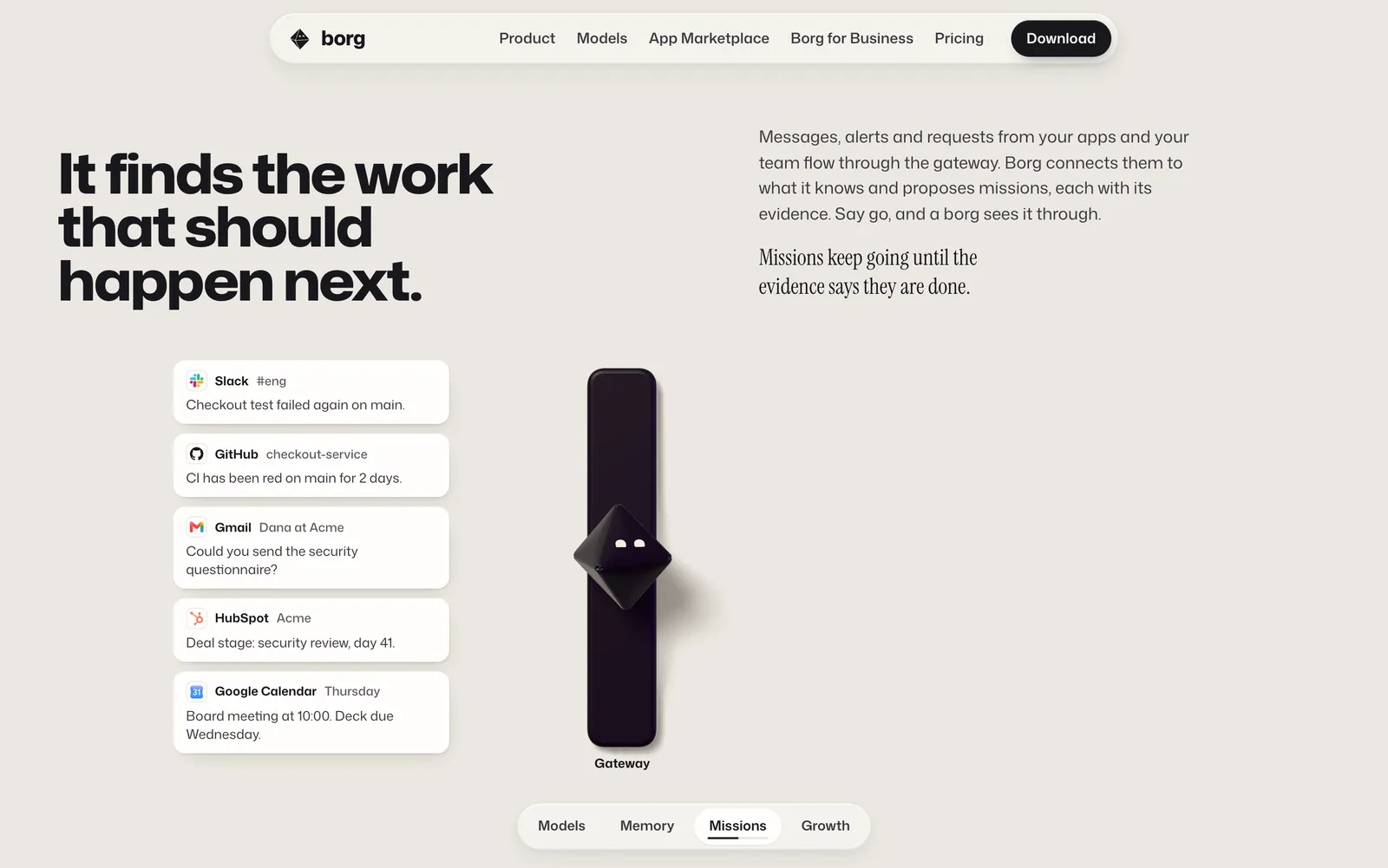
And the line that defines them: "Missions keep going until the evidence says they are done."
The homepage examples are ordinary business work, which is the point: "Find renewals at risk in HubSpot," "Turn yesterday's call into a spec," "Fix the flaky checkout test." Another example shows a mission ready for review: a security questionnaire "drafted from the SOC 2 report in Notion. Two answers need you." with Approve and Open buttons.
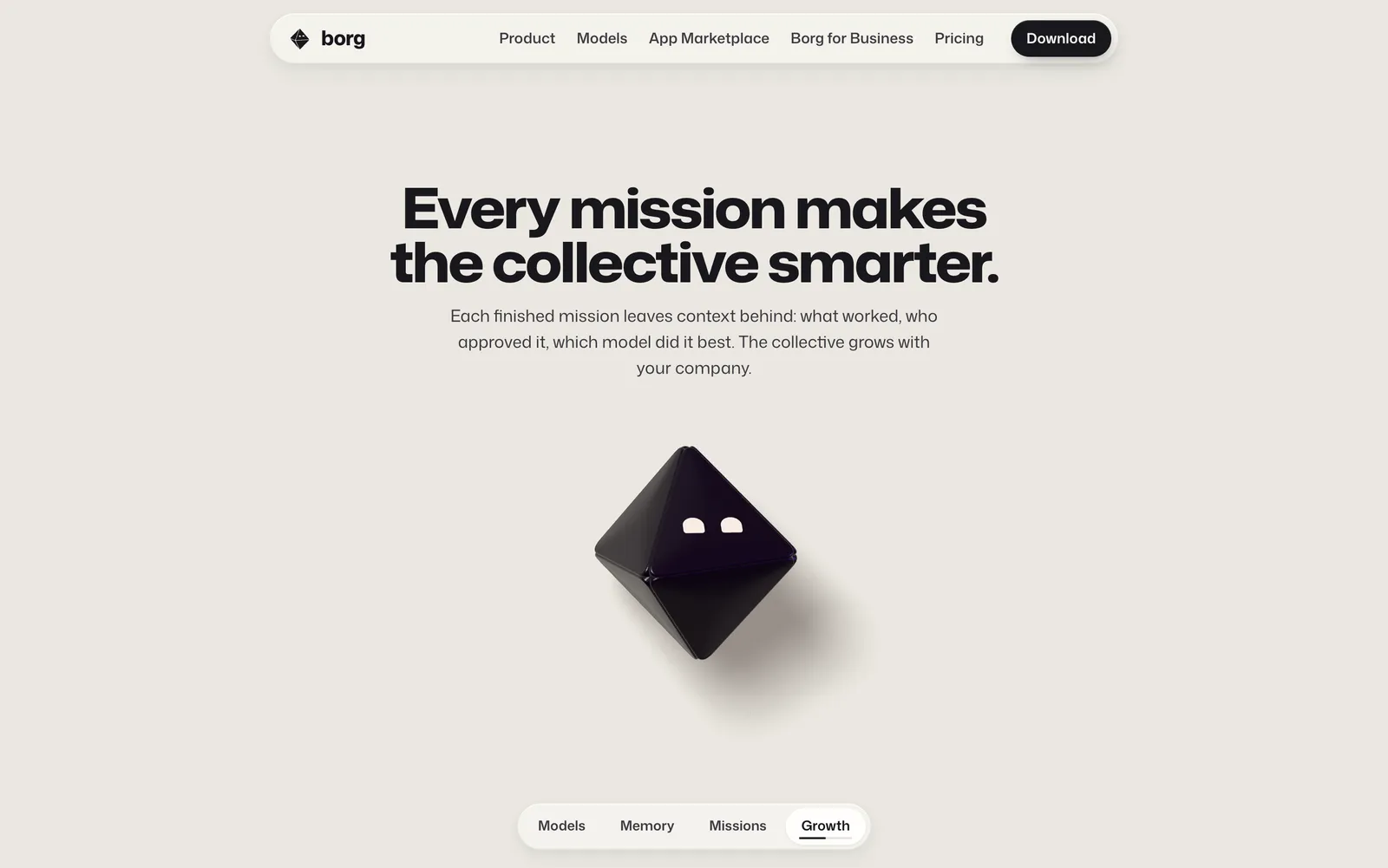
My read: the difference between a chat and a mission is the difference between a request and a goal. A chat is "write an analysis of our competitors." A mission is a sequence: research the competitors, collect evidence, analyze positioning, pick the right models, produce the deliverable, check it, and report back. The human moves from operator to approver. The unit of work is moving from prompt to task, then to workflow, then to mission.
The Borg Gateway and Platform API
Two pieces sit underneath the app:
- The Borg Gateway: "Every model behind one key, shared across your team with permissions, limits and budgets. Bring the subscriptions you already pay for."
- The Platform API: "Put the collective inside your product. Call Borg Fusion or pick a model, with realtime, flex, batch and spot capacity." The example request uses an OpenAI-style
/v1/chat/completionsendpoint with"model": "borg-fusion".
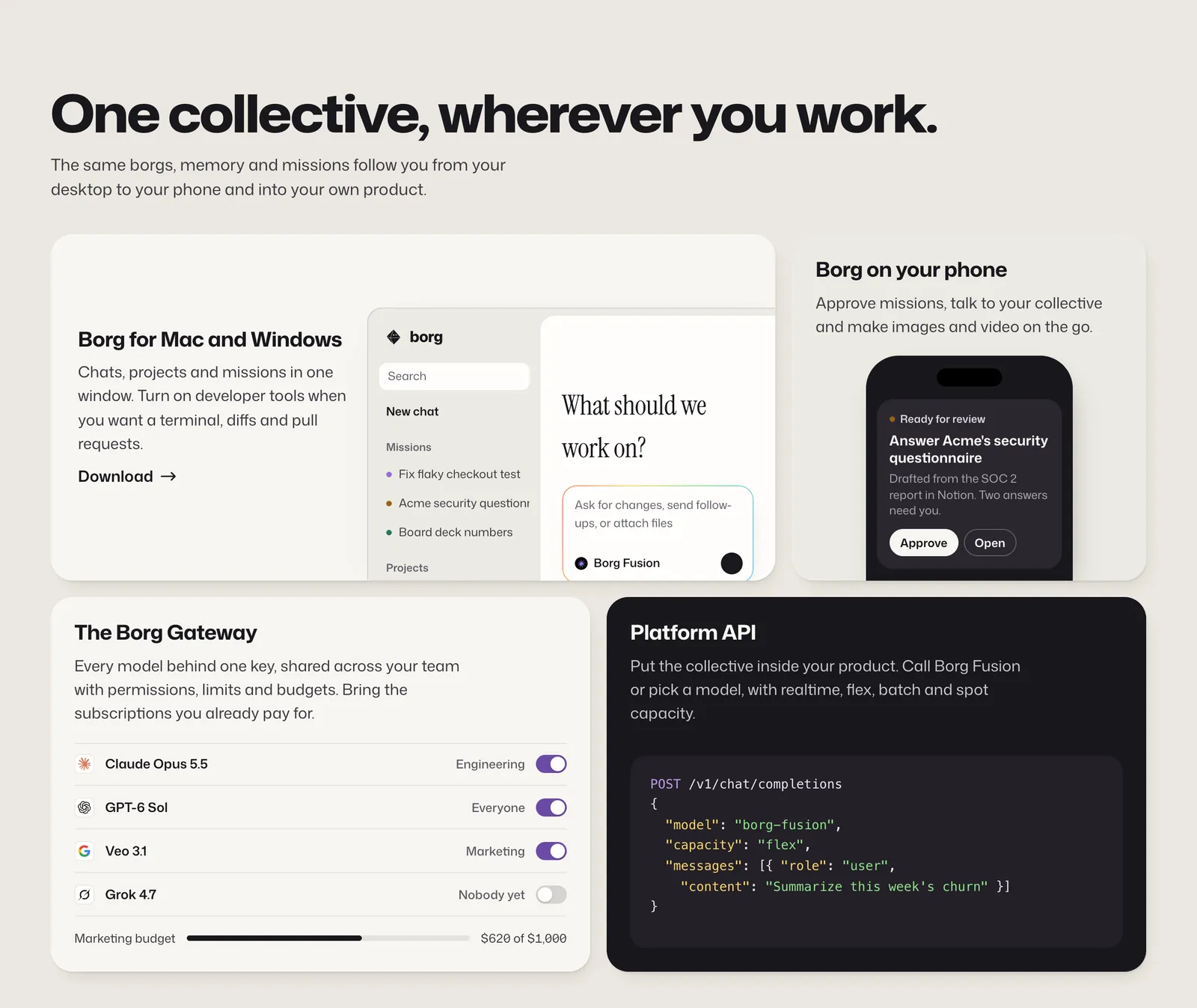
My read: the gateway is where governance lives. Permissions, limits and budgets per team are what make it safe to give an AI team real access to real systems.
How much does Borg cost?
Borg sells two sets of plans: individual plans on its main pricing section, and company plans on its Borg for Business page. Borg measures usage against Anthropic's own plans, so "3×" means Borg says you get three times the usage.
- Chats and projects on desktop and web
- Borg Fusion for everyday work
- Join your team's workspace as a member
- Every frontier model on one bill
- 3× usage vs Anthropic
- Missions you start and review
- Memory across your projects
- Desktop, web and mobile
- 20× usage vs Anthropic
- More borgs working in parallel
- Choose frontier models directly
- Background missions
- 50× usage vs Anthropic
- Persistent missions
- Borg proposes the next mission itself
- Large background fleets
- Highest priority
- 250× usage vs Anthropic
- Shared memory, projects and missions across the team
- Agents that stay up and keep working
- Permissions, model access and budgets
- Capacity for 100 or more agents
For companies that want help rolling it out, the Borg for Business page adds two tiers above Team. Prices as listed on getborg.com on October 2, 2026.
- Everything in Team
- Guided setup and installation for your company
- Installation training program for your team
- Hands-on rollout so the collective is ready to work
- Platform API and pooled compute
- Governance and security reviews
- Private models trained on your work
- Custom terms and support
Borg's AI App Marketplace: all 27 apps
Borg's App Marketplace pitches "Twenty-seven apps. One launcher." In Borg's words: "Replace the SaaS stack you already pay for: Loom, HubSpot, Wispr Flow, PandaDoc, and more. Launch them from Borg." Each app is named for the SaaS product it's meant to replace, and most carry tags such as Self-hosted, Unlimited seats and Actively maintained.
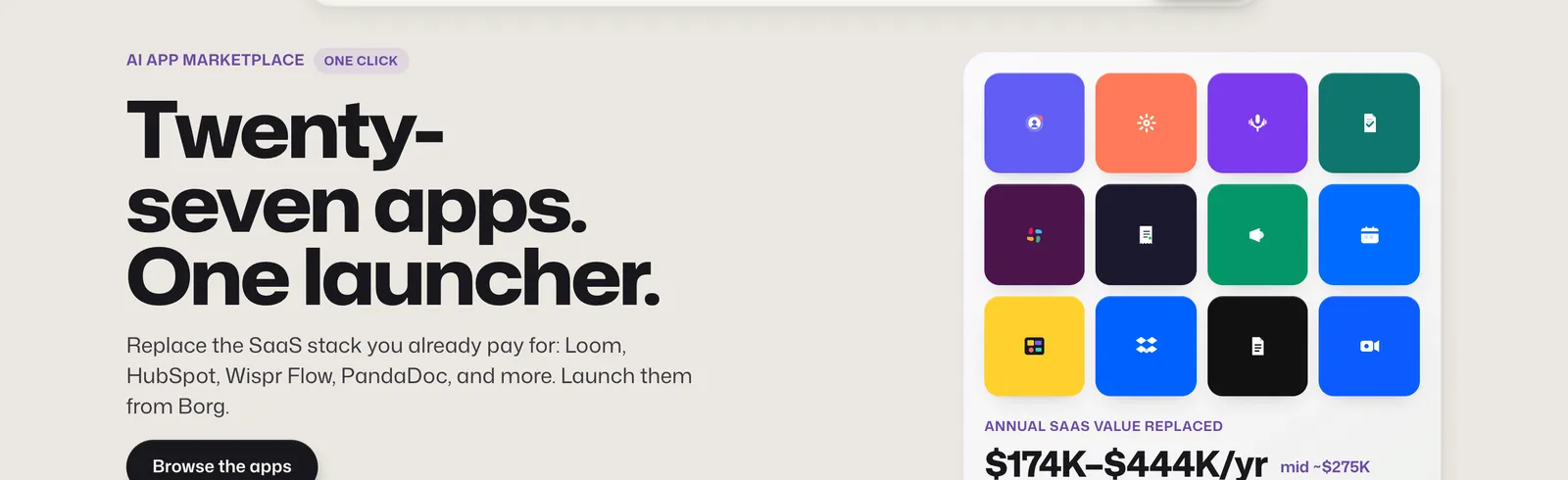
Borg puts the total "annual SaaS value replaced" at $174,260–$444,320 a year, and gives its own midpoint as about $274,600. (A straight average of that range would be closer to $309,000, so Borg is likely weighting it differently.) That's based on "public list prices for a ~20-seat team," and Borg labels the apps "sample previews only." The price column below is Borg's estimate of what the original SaaS tool costs a 20-person team, not what Borg charges.
Bars show Borg's estimated range on one shared $0–$120K scale. This is what the original SaaS tool costs a 20-person team, not what Borg charges. Borg labels the apps "sample previews only."
My read: two things stand out. First, the savings case is lopsided. HubSpot alone accounts for $84,000–$120,000 of the estimate, so a team that doesn't pay for HubSpot today should knock that off before running the numbers. Second, the marketplace fits the larger pitch. If agents already share your company's memory, having the CRM, docs and chat live in the same place means less context lost between tools. Whether these apps can fully stand in for the originals is something to test with your own team. Borg itself calls them sample previews.
Borg AI vs ChatGPT, Claude and OpenRouter
These products overlap less than the comparisons suggest. Here's the honest framing:
- Borg vs ChatGPT or Claude. ChatGPT and Claude are assistants built around one company's models. Borg is a layer that uses those models, among others, and adds shared team memory, missions and routing on top. If you're happy with one assistant for one person, you may not need Borg. The pitch is aimed at teams.
- Borg vs OpenRouter. OpenRouter is a developer API that gives you access to many models through one key. Borg's gateway and API cover similar ground, but Borg's main product is the app above it: memory, missions and approvals.
- Claude + GPT + Gemini + Grok together. This is the real comparison. You can stitch the four together yourself and be the router, or you can let a system do it. Borg is betting most teams will choose the second.
Why this matters more than Borg
Zoom out, because this isn't really about one product. Borg is one example of a bigger transition in business AI:
- 2023: chatting with AI
- 2024–2025: AI copilots inside the tools you already use
- 2025–2026: AI agents that take actions
- Next: AI teams, and eventually agentic organizations
The architecture behind that last step looks the same no matter whose logo is on it. A business sits on top. An orchestration layer sits below it. Sales, marketing and operations each have their own agents. Those agents share one company memory, and a multi-model layer underneath picks the right engine for each job.
We've been building toward many of the same ideas inside Bonsai: multi-model orchestration, specialized agents, business context, automated workflows, approval gates and human oversight. Bonsai and Borg are not the same product. But the direction is the same. The question we're asking isn't "how can a company use ChatGPT?" It's "what happens when AI becomes part of the operating architecture of the company?" That's the move from AI as a tool to AI as infrastructure.
Five things to evaluate in any agentic AI platform
If you're looking at Borg, or anything like it, these five questions matter more than whichever demo is getting attention this month:
- Context. How much of the business can the system actually see and understand?
- Memory. Does useful company knowledge persist from one session and one person to the next?
- Orchestration. Can it pick the right agent and the right model for each piece of work?
- Execution. Does it do the work, or only recommend what a human should do?
- Governance. Can humans control permissions, approvals, budgets and sensitive actions?
Borg's public materials speak to all five. Memory, missions and Fusion cover the first four, and the gateway's permissions, limits and budgets cover the fifth. How well each holds up in real day-to-day use is something only a real rollout will show.
The bottom line
Here's where I think business AI ends up. You don't wake up and decide whether today is a Claude day or a ChatGPT day. You tell the system what needs to happen. It understands the company, breaks down the goal, picks the right capabilities, coordinates the work, brings people in where judgment or approval is needed, and delivers the result.
That's not a better chatbot. It's an operating system for intelligence. The future isn't one AI. It's an AI team.
Borg is early, and we'll see how real-world execution compares with the vision. But the direction matters. At Bonsai Marketing Company we're building and testing this agentic model inside real businesses across marketing, search, content, lead generation, automation and operations. If you're wondering how to build an AI team around your company, that's the conversation we want to have.
Frequently asked questions about Borg AI
What is Borg AI?
Borg (getborg.com) is an AI platform that describes itself as "an AI team that knows your company." It learns from your team's tools to build shared memory, proposes work as missions, and routes each step to a model such as Claude, GPT, Gemini or Grok through a layer called Borg Fusion.
What is GetBorg?
GetBorg.com is Borg's website. "GetBorg" and "Borg AI" refer to the same product.
What is Borg Fusion?
Borg Fusion is Borg's model router. According to Borg, it "picks the model and effort for each request," sending everyday work to fast, inexpensive models and harder work to frontier models. You can also pick a model yourself.
Which AI models does Borg support?
Borg lists Claude, GPT, Gemini, Grok, Kimi and GLM, plus image, video and voice models, all on one bill.
What are Borg Missions?
Missions are goals Borg works toward on your behalf. Borg proposes a mission along with its evidence, a person approves it, and Borg says missions "keep going until the evidence says they are done."
Does Borg have persistent memory?
Yes, according to Borg. It says it learns from your team's "threads, docs, pull requests, deals and tasks" and builds memory the whole team shares, "so every conversation starts where the last one ended."
How much does Borg cost?
Borg has a free plan. Paid plans were listed at $20 a month (Personal), $99 (Power), $199 (Max) and $500 (Team). For guided company rollouts, Business is $5,000 a month with setup and training, and Enterprise is custom. Prices as of October 2, 2026.
What apps are in Borg's App Marketplace?
Borg lists 27 apps in 8 categories, each named for the SaaS tool it's meant to replace: Loom, HubSpot, Wispr Flow, PandaDoc, Slack, Expensify, Mailchimp, Calendly, Miro, Dropbox, Notion, Zoom, Granola, 1Password, Cursor, Linear, Heroku, Firebase, Datadog, Sentry, Figma, DocuSign, Buffer, Mixpanel, Intercom, BambooHR and Teamtailor.
Is Borg better than ChatGPT or Claude?
They aren't the same kind of product. ChatGPT and Claude are assistants built on their makers' models. Borg uses models like those and adds team memory, missions and routing on top. Which is right depends on whether you need one assistant or a coordinated AI team.